Fox Medieval Rings – 12 Game-Ready Medieval Rings
Overview
Twelve medieval finger rings for RPG characters, merchants, treasure chests and loot: a lion signet, a hammered gold band, a sapphire ring, a heraldic shield ring, a carved bone ring, a serpent, an iron rune band, a stag head, a cross signet, amber, three garnets and a forged iron ring.
This guide covers the contents, the mesh and texture specs, and how to put the rings on a character's finger in Unreal Engine. It includes five worked examples.
Gallery
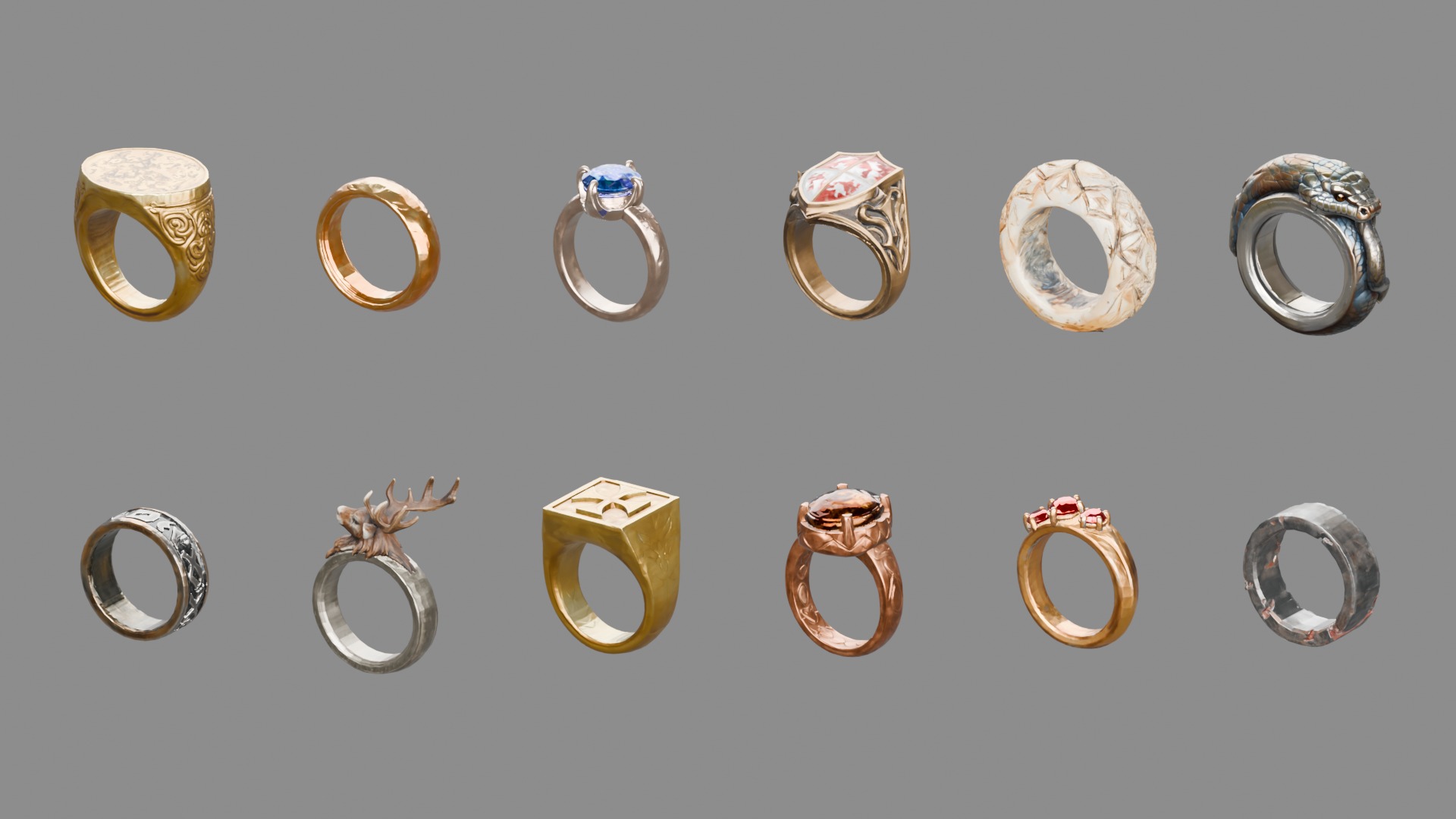

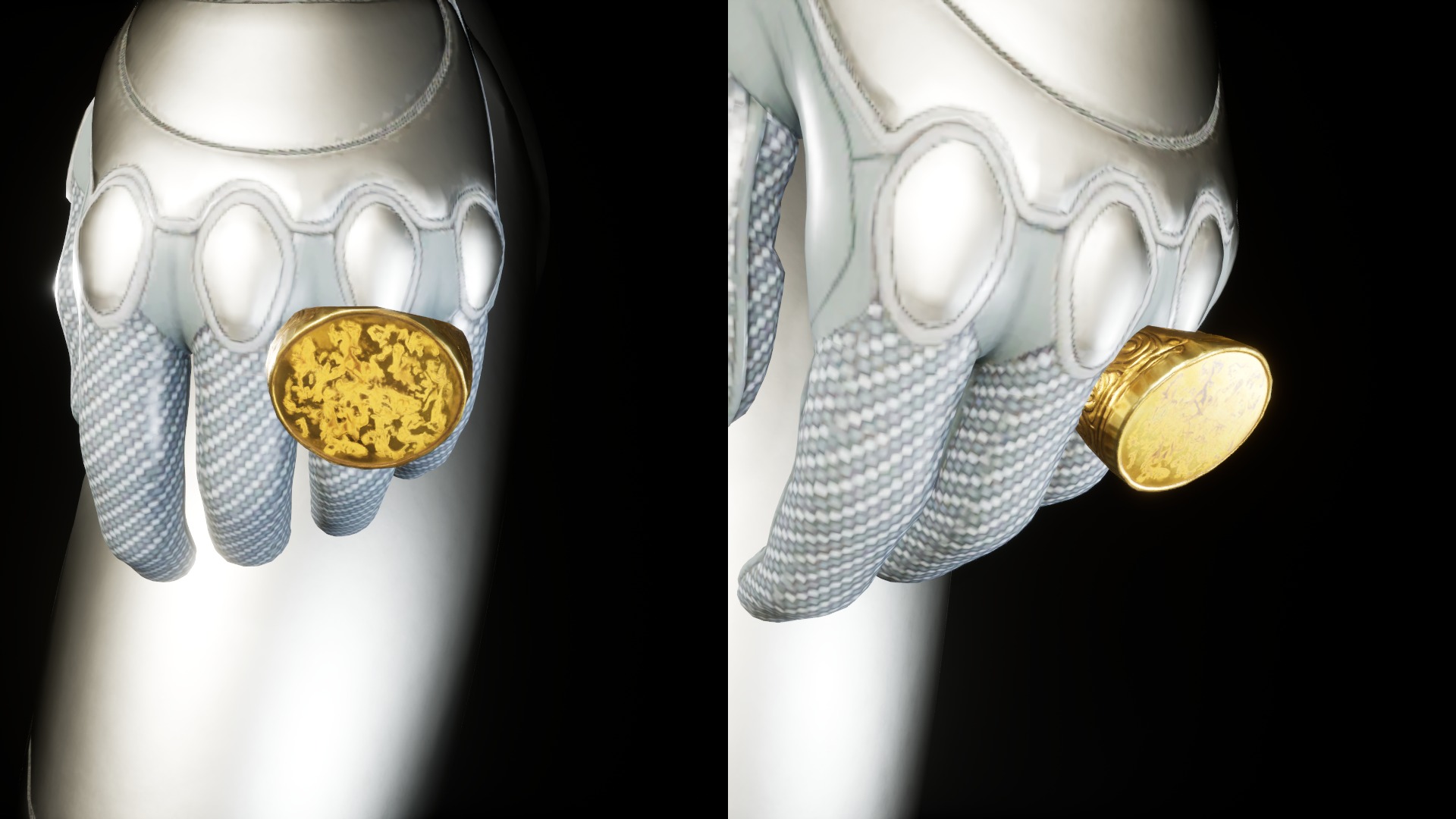
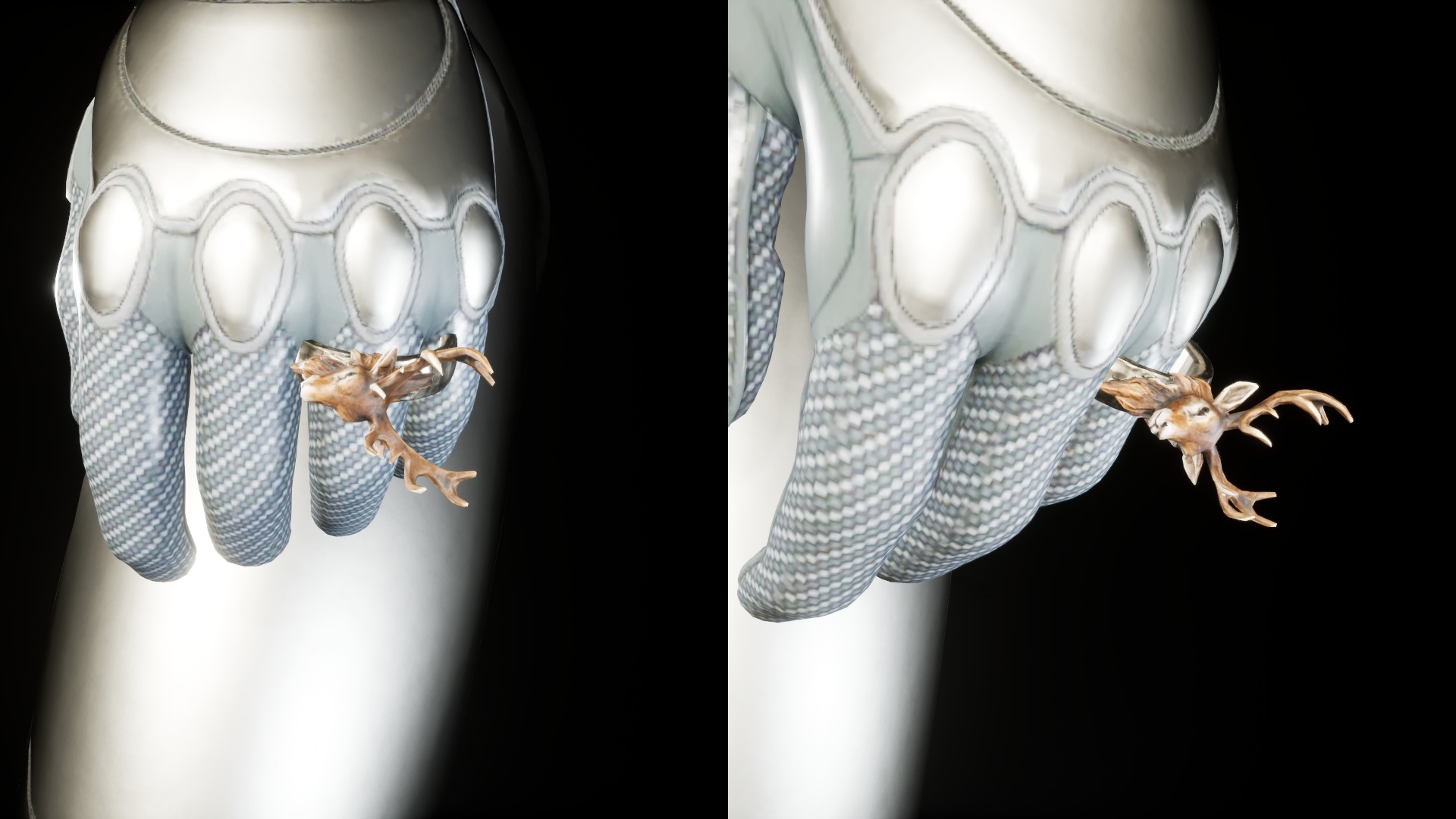
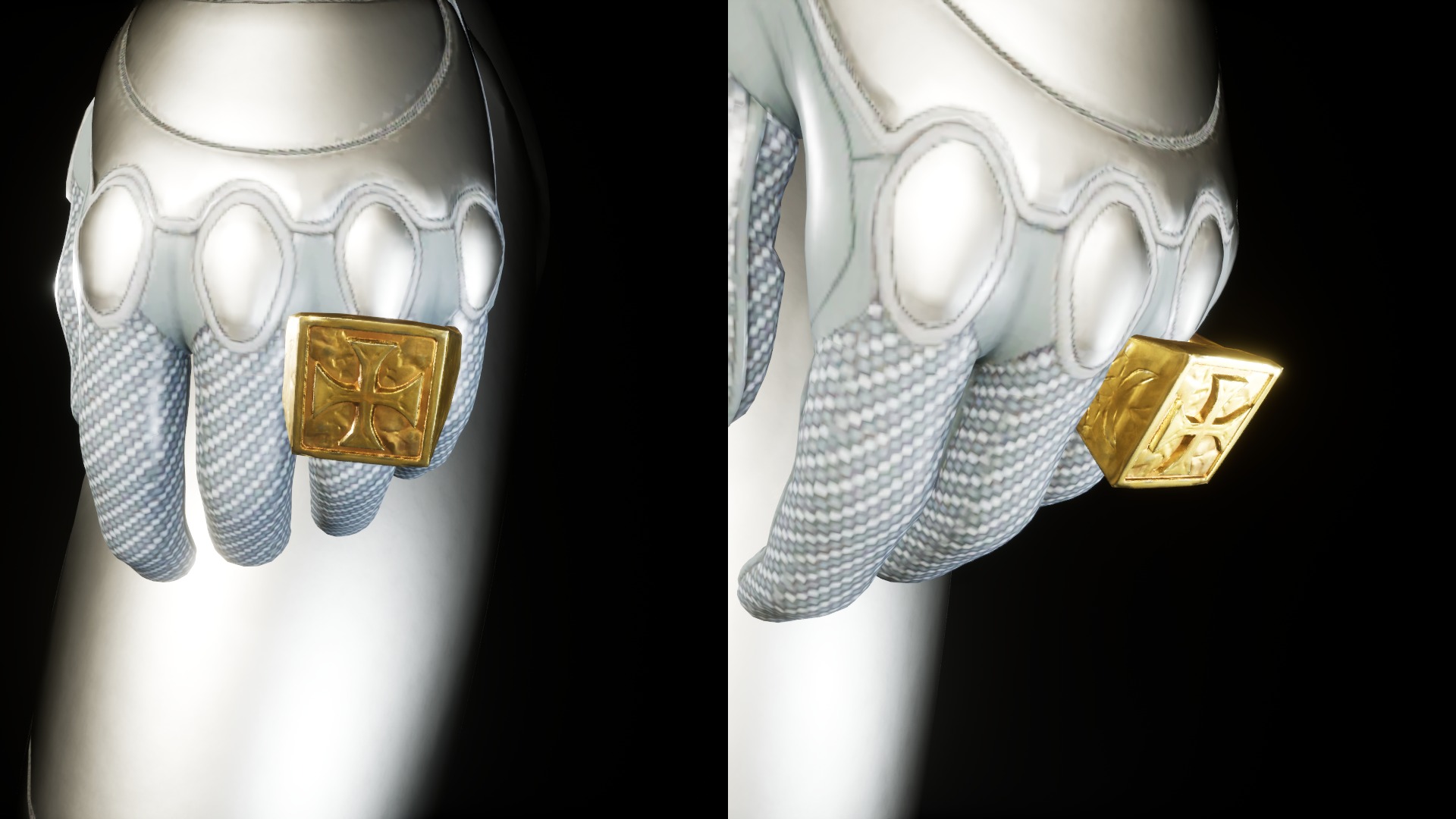
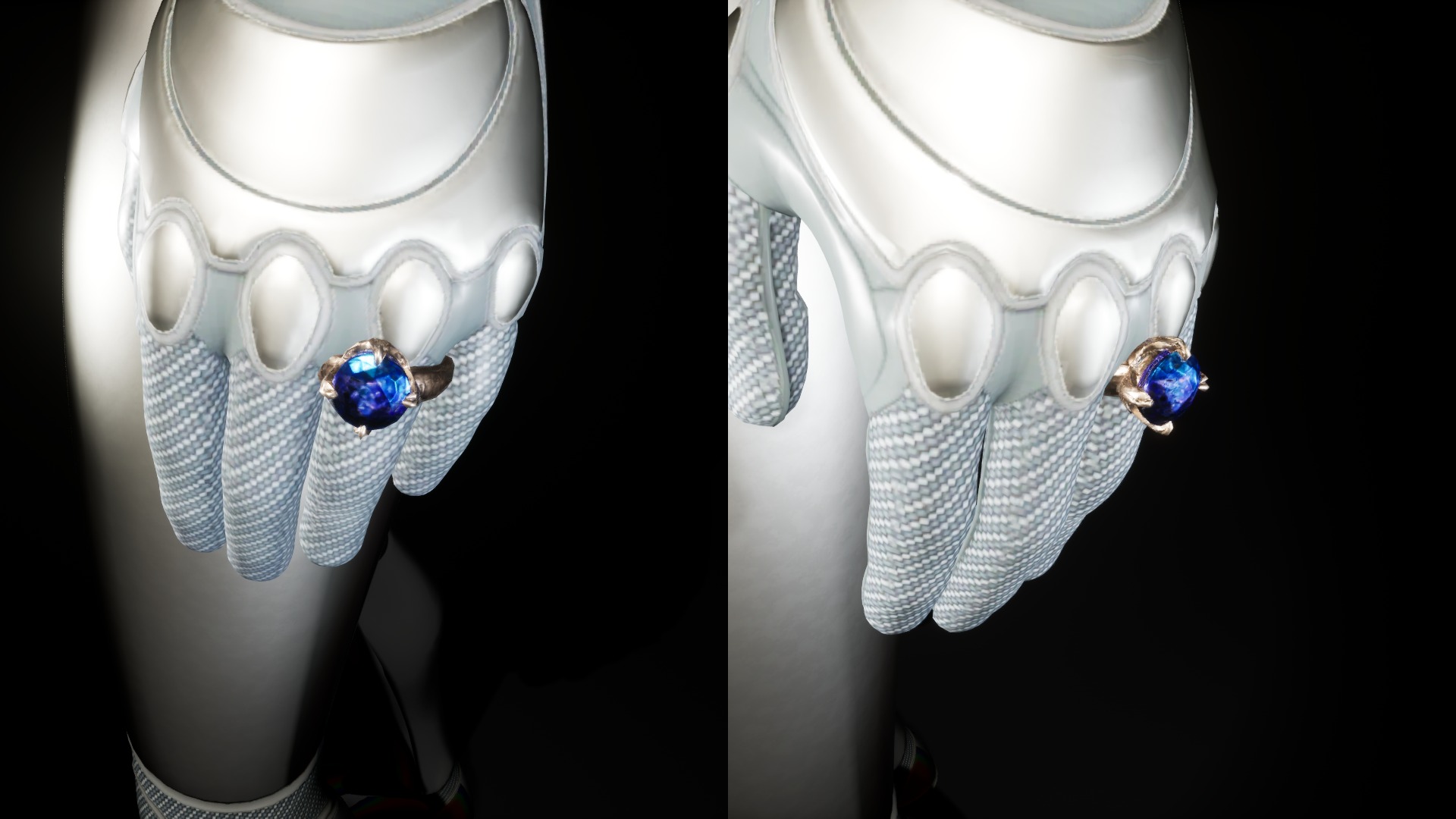
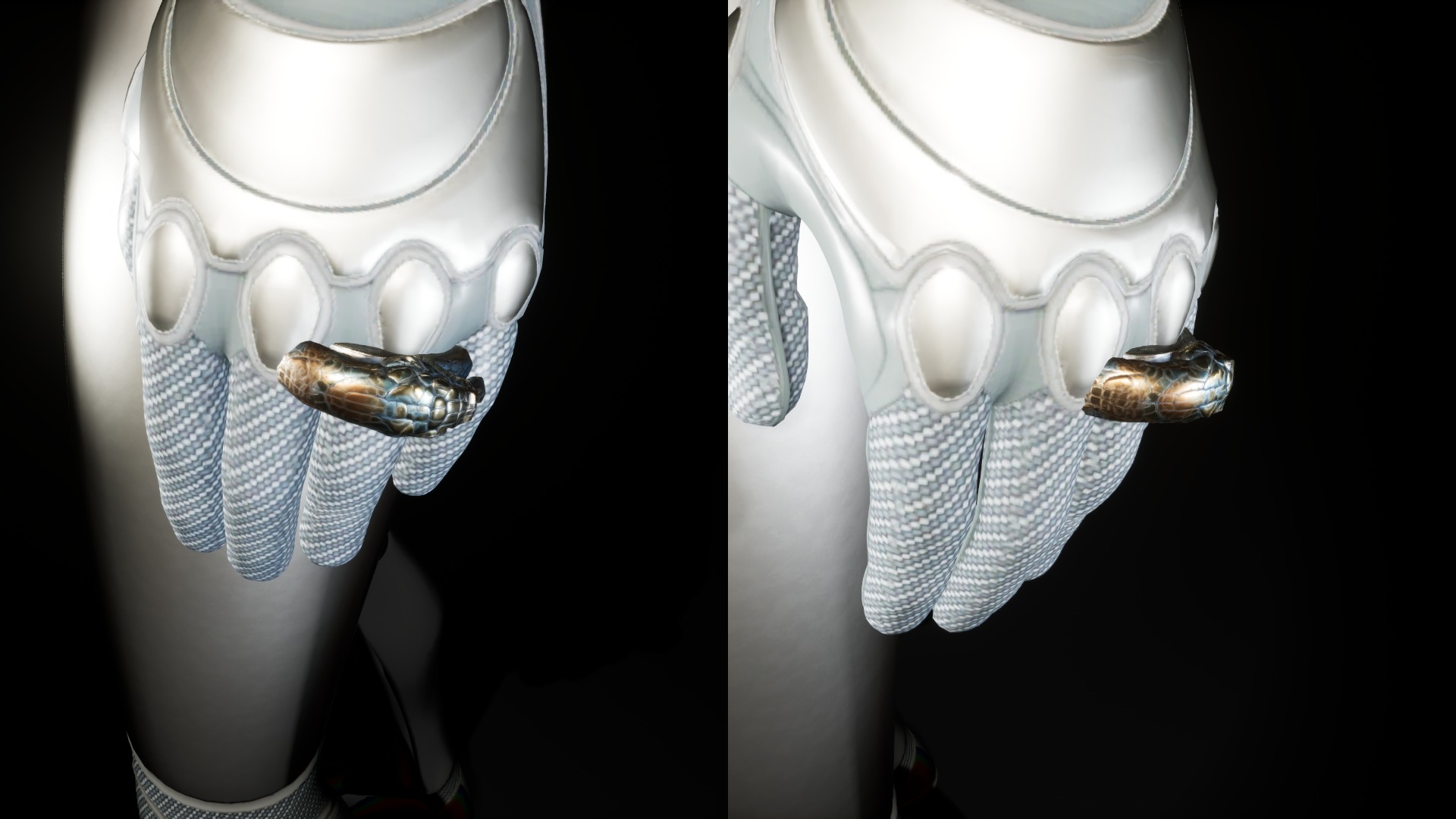

In the mannequin pictures the rings are scaled up by 1.55 because the UE5 Mannequin fingers are about 2.5 cm thick. At scale 1 the rings have a real 19 mm inner diameter. Example 4 shows how to fit them.
What's included
Per engine version: 12 Static Meshes with 4 LODs each, custom collision, 1 master material, 12 material instances, 36 textures and an Overview map. The FBX package has the mesh sources and PNG textures for other engines.
The rings
| # | Ring | Mesh | Size X x Y x Z (cm) | LOD0 tris | LOD1 / 2 / 3 tris | Collision faces |
|---|---|---|---|---|---|---|
| 01 | Signet ring with lion crest, gold | SM_Ring01 | 2.8 x 2.2 x 2.9 | 5,498 | 2,748 / 1,374 / 658 | 1104 |
| 02 | Hammered gold band | SM_Ring02 | 2.5 x 0.7 x 2.5 | 5,494 | 2,746 / 1,372 / 658 | 2203 |
| 03 | Silver ring with a round sapphire | SM_Ring03 | 2.4 x 1.4 x 2.9 | 5,494 | 2,746 / 1,372 / 658 | 883 |
| 04 | Heraldic shield ring with enamelled crosses, bronze | SM_Ring04 | 2.4 x 2.4 x 2.9 | 5,486 | 2,742 / 1,370 / 658 | 442 |
| 05 | Carved bone ring | SM_Ring05 | 3.1 x 1.2 x 3.2 | 5,198 | 2,598 / 1,298 / 622 | 720 |
| 06 | Serpent ring, silver | SM_Ring06 | 3.4 x 1.2 x 3.4 | 5,498 | 2,748 / 1,374 / 658 | 987 |
| 07 | Iron rune band | SM_Ring07 | 2.3 x 0.8 x 2.3 | 5,454 | 2,726 / 1,362 / 654 | 560 |
| 08 | Stag head ring, silver | SM_Ring08 | 2.6 x 1.9 x 3.8 | 5,492 | 2,746 / 1,372 / 658 | 517 |
| 09 | Cross signet ring, gold | SM_Ring09 | 2.5 x 1.9 x 2.9 | 5,498 | 2,748 / 1,374 / 658 | 1192 |
| 10 | Copper ring with an amber cabochon | SM_Ring10 | 2.4 x 1.9 x 3.1 | 5,490 | 2,744 / 1,372 / 658 | 759 |
| 11 | Gold ring with three garnets | SM_Ring11 | 2.5 x 0.9 x 2.8 | 5,496 | 2,748 / 1,374 / 658 | 871 |
| 12 | Forged iron ring | SM_Ring12 | 2.5 x 0.8 x 2.5 | 5,392 | 2,696 / 1,348 / 646 | 851 |
Triangle counts and sizes in the table are measured from the shipped meshes. The collision figure is the face count of the collision hull. All meshes are closed (watertight).
Asset list (Unreal Engine)
FoxMedievalRings/
  Maps/       Overview
  Meshes/     SM_Ring01 ... SM_Ring12            (12)
  Materials/  M_FoxMaster                        (1 master)
              MI_Ring01 ... MI_Ring12            (12 instances)
  Textures/   T_RingNN_BaseColor / _Normal / _ORM (36, 1024 x 1024)
FBX package
12 folders (Ring01 to Ring12), 7 files each, 84 files in total:
RingNN/
  SM_RingNN.fbx
  SM_RingNN_LOD1.fbx
  SM_RingNN_LOD2.fbx
  SM_RingNN_LOD3.fbx
  T_RingNN_BaseColor.png
  T_RingNN_Normal.png
  T_RingNN_ORM.png
Inventory icons
Every package (all engine versions and the FBX package) has a folder Icons_1024/ next to the project files: 12 PNG icons, 1024 x 1024 with a transparent background, one per mesh (Ring01_Icon.png to Ring12_Icon.png), rendered from the meshes. The folder is outside Content/; import the PNGs as textures for an inventory or shop UI.
Technical specs
| Item | Value |
|---|---|
| Meshes | 12 Static Meshes, 4 LODs each |
| Triangles | About 5,500 (LOD0), 2,750 / 1,375 / 660 (LOD1-3) |
| Textures | 1024 x 1024 Base Color, Normal, ORM (Occlusion, Roughness, Metallic), PNG |
| Collision | One simplified convex hull per ring (UCX) |
| Real-world scale | 19 mm inner diameter for every ring |
| Pivot | Centre of the finger hole |
| Orientation | Finger runs along the Y axis, the ring head points up (+Z) |
| Materials | One master material (M_FoxMaster), one instance per ring. One material slot per mesh. |
| Material parameters | Texture parameters BaseColor, Normal and ORM |
| UV | Non-overlapping, inside 0-1 |
| Engine versions | Unreal Engine 4.27, 5.2 - 5.8 (separate project per version), plus FBX + PNG for other engines |
Getting started in Unreal Engine
Add the pack to a project
- Open the Epic Games Launcher and go to your Fab Library.
- Find Fox Medieval Rings and pick the engine version that matches your project.
- Click Add to Project (or Create Project to start a new one) and choose your project.
- Open the project. The files are in the Content Browser under
FoxMedievalRings.
For other engines, download the FBX package. Import SM_RingNN.fbx and the three PNG textures. Use the LOD files as LOD1 to LOD3.
Everything is under /Game/FoxMedievalRings/: Meshes, Materials, Textures and Maps. Open Maps/Overview to see all twelve rings in a row. The rings are Static Meshes. There are no skeletal meshes, sockets or animations in the pack.
Example 1: Place a ring in a level
Goal: show a ring on a table, in a treasure chest or as a pickup.
- Open your level.
- In the Content Browser open
FoxMedievalRings/Meshes. - Drag
SM_Ring03into the viewport. - The pivot is the centre of the finger hole. To lay the ring flat on a table, set Rotation X to 90 (roll) and raise Location Z by half the band width (about 0.4 cm).
- For a pickup, scale the actor up (for example 5) so it reads from a distance. The collision hull scales with it.
One Unreal unit is one centimeter. At scale 1 every ring has a 1.9 cm inner diameter.
Example 2: Put a ring on a finger socket
Goal: let a skeletal mesh character wear a ring on the ring finger.
- Open your character's Skeleton asset (double-click it). The Skeleton Editor opens.
- In the Skeleton Tree, find the first bone of the ring finger (for the UE5 Mannequin:
ring_01_lorring_01_r). - Right-click the bone and choose Add Socket. Name it
Ring_Socket. - Right-click the socket and choose Add Preview Asset, then select
SM_Ring01. - Select the socket and move it along the bone to the middle of the first finger segment. Turn the Relative Rotation until the finger runs through the hole and the ring head sits on the back of the hand. Check it from the top and from the side.
- Set the socket Relative Scale so the ring sits snugly (see Example 4) and save the Skeleton.
The pivot is the centre of the hole, so the socket only needs to sit on the bone line. Sockets are saved on the Skeleton and work for every Skeletal Mesh that uses it.
Example 3: Equip a ring at runtime
Goal: spawn a ring when the game starts and attach it to the socket from Example 2.
- Create an Actor Blueprint named
BP_Ring. Add a Static Mesh component and set Static Mesh toSM_Ring01. - Open your character Blueprint and its Event Graph. Add Event BeginPlay.
- Add Spawn Actor from Class and set Class to
BP_Ring. - From the spawned actor add Attach Actor To Component. For Parent use Get Mesh, set Socket Name to
Ring_Socket. - Set Location Rule, Rotation Rule and Scale Rule to Snap to Target.
- Select the Static Mesh component and set Collision Presets to
NoCollisionwhile it is worn.
To change the ring, set the Static Mesh on the component to another SM_Ring mesh and its material to the matching MI_Ring instance.
Example 4: Fit the ring to your character's finger
Goal: the ring should neither float nor sink into the finger.
- Measure the finger: in the Skeletal Mesh editor, look at the finger from the front and read its thickness at the first segment (the UE5 Mannequin is about 2.5 cm).
- Divide that by 1.9 (the inner diameter of the rings at scale 1). For the Mannequin this gives about 1.3; the preview pictures use 1.55 for a looser fit.
- Put that value into the socket's Relative Scale (all three axes), or into the actor scale in Example 3.
- If the finger is not round, scale X and Z a little differently until the band touches the finger all around.
All twelve rings share the same inner diameter, so one scale value works for the whole pack.
Example 5: Change the textures with a material instance
Goal: make a gold version of a silver ring, or your own colour variant.
- Open
FoxMedievalRings/Materials. Each ring has an instance, for exampleMI_Ring03. All use the parentM_FoxMaster. - Right-click
MI_Ring03and choose Duplicate. Name the copyMI_Ring03_Custom. - Open the copy. In Texture Parameter Values there are three parameters:
BaseColor,NormalandORM. - Check the box next to
BaseColorand select your own texture. - Open
SM_Ring03and set Material Slots > Element 0 to the new instance. - Keep
ORMas it is unless you also change the packed Occlusion, Roughness and Metallic maps.
The ORM texture stores Occlusion, Roughness and Metallic in one image. If you paint your own ORM map, keep that channel order.
FAQ
Which Unreal Engine versions are supported?
Unreal Engine 4.27, 5.2 - 5.8. Each version has its own project download. An FBX + PNG package is included for other engines.
How many LODs does each ring have?
Four. About 5,500 triangles at LOD0, then 2,750, 1,375 and 660.
Are the gemstones transparent?
No. Every ring is one opaque mesh with one material. The stones are painted into the textures.
Why are the rings bigger on the mannequin?
The UE5 Mannequin has thick fingers. The pictures use scale 1.55. The meshes themselves have a real 19 mm inner diameter.
A ring I need is missing. What can I do?
Write to support@alchemy-fox.de.
License and support
Covered by the Fab Standard License.
Support: support@alchemy-fox.de
By Alchemy Fox Studio.